Throttle Control Basics for Micro Crawlers
Most beginners grip the trigger too hard and wonder why the truck keeps sliding out. Here's how to actually use the throttle on an SCX24 or TRX4M.
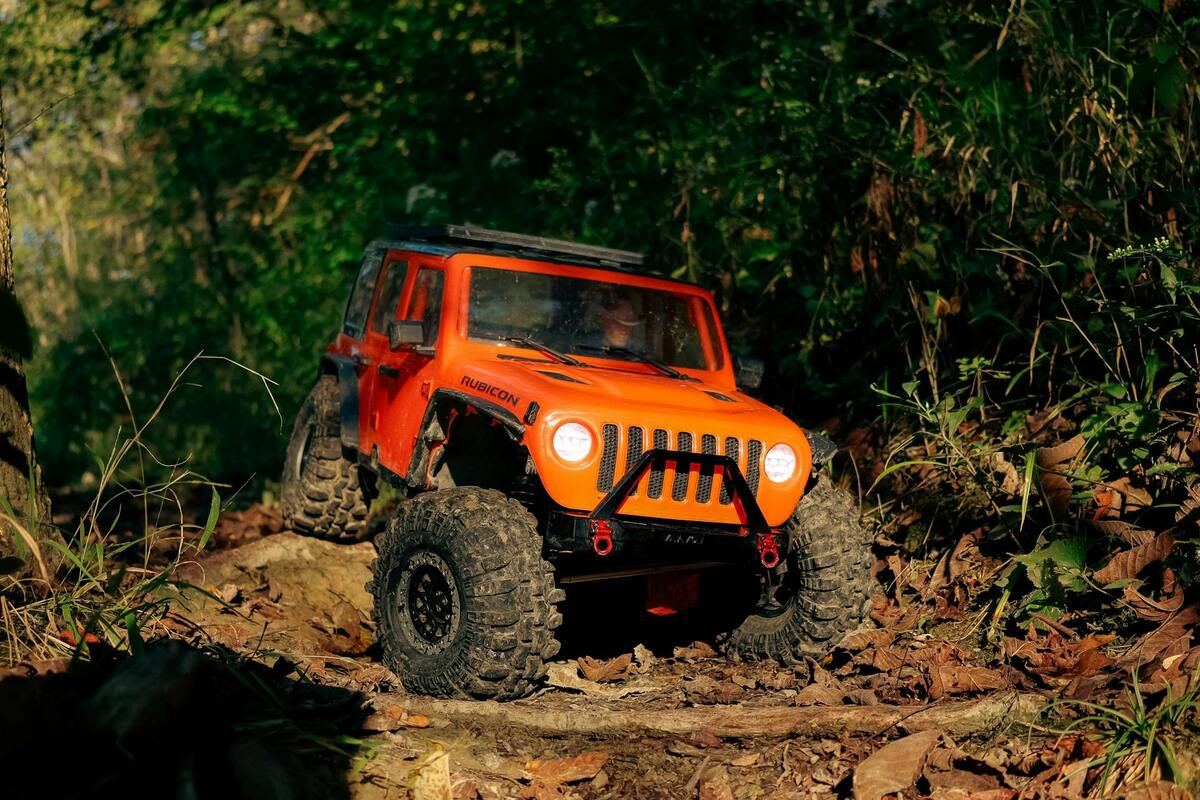
When I got back into crawling after years away, I thought the hard part was going to be the terrain. The rocks, the angles, the obstacles I had to learn to read.
The actual hard part was the trigger.
Throttle control is the thing nobody tells beginners because experienced crawlers have internalized it so completely they forget it’s a skill. But it’s the first skill that separates a truck that looks herky-jerky and keeps tipping from a truck that moves like it actually belongs on the terrain.
The good news is that this costs nothing to improve. No parts, no upgrades. Just a change in how you use the transmitter.
Why Throttle Control Matters More Than Torque
The instinct when a crawler gets stuck is to give it more throttle. The truck isn’t moving, so add power. This is exactly backward.
More throttle breaks traction. When the tire is already on the edge of grip and you add power, the wheel spins, the tire loses contact, and now you have less traction than you started with. The truck slides sideways, or the front lifts, or you dig a rut in the dirt and go nowhere.
The fix is less throttle, applied more deliberately. You want the tires to find grip before you ask them to do work. That means:
- Small initial input to get the wheel turning
- Pause to let the tire load up against the surface
- Gradual increase as grip builds
This feels wrong at first. It feels like you’re not doing enough. But micro crawlers are light, and on real terrain their tires have more capability than most beginners use, because beginners spin them before finding out. I spent a good chunk of my first year back buying tires to solve what turned out to be a trigger problem, which is the whole story in your finger is the upgrade nobody sells.
The Half-Trigger Habit
Most stock transmitters that come with the SCX24 or TRX4M have a pistol-grip design with a trigger for throttle/brake. Full trigger forward is full throttle. Full trigger back is full brake or reverse.
For crawling, you almost never want full trigger in either direction.
A useful mental model: think of the trigger as having three zones.
0-25% (feather zone): This is where you start almost every move. Barely touching the trigger. Enough to overcome the truck’s inertia and get the wheels turning, but not enough to spin them. Use this when you’re approaching an obstacle, feeling out a surface, or starting a climb.
25-60% (working zone): This is where most crawling happens. The truck is moving, the tires have some load on them, and you have headroom in both directions. If grip drops suddenly, you can back off. If you need more commitment, you can push forward. Most trail runs on moderate terrain stay in this zone.
60-100% (commitment zone): Used for specific situations: loose terrain where momentum matters, a steep climb where you need to punch through, or a gap where stopping is worse than going. Not for general use. Not for beginners defaulting to when things feel uncertain.
Getting comfortable living in the feather zone and working zone takes a few sessions. The instinct to grab full throttle is strong. Fight it.
Brake vs. Reverse
These are different things and beginners often mix them up.
Brake engages the motor as a resistor, slowing the truck. On most ESCs, pulling the trigger partway back from neutral applies brake first. The truck slows and stops. It does not go backward.
Reverse is what happens when you pull the trigger further back after the brake point. The truck actually drives backward.
For descents, brake is almost always what you want. If the truck is rolling down a slope faster than you want, a little brake regulates the speed without throwing it into a hard stop. Feather the brake the same way you feather the throttle: small input, see how the truck responds, adjust.
Reverse during a descent can be dangerous on steep terrain because the sudden backward motion changes weight distribution abruptly. The truck can rotate over the rear axle. This is especially a risk on the SCX24, which has a relatively high center of gravity for its weight. Go to brake first, then reverse only once the truck has settled.
Steering and Throttle Together
One thing that catches new crawlers off guard: steering and throttle interact.
When you turn the front wheels, some of the power that would have gone to forward motion goes into the turning effort instead. The truck loses a little bit of momentum in turns. This is normal, but it means if you’re on a climb and you need to steer to correct a line, you often need a small throttle increase to compensate for the momentum drop.
The mistake is to steer and then back off the throttle at the same time because the truck starts slowing. Now you’re fighting two things at once and you stall on the climb.
Practice this combination: pick a mild incline with a slight curve. Drive it with deliberate combined inputs, tiny throttle increase as you steer, and notice how the truck responds. It takes repetition but it becomes automatic.
On the TRX4M especially, the portal axles give the truck good climbing ability, but that efficiency depends on keeping consistent power through the climb. Interrupting throttle on a climb with steering overcorrections is one of the most common reasons TRX4M crawlers stall on moderate inclines that should be easy.
ESC Drag Brake
Most ESCs that come with the SCX24 and TRX4M have a drag brake setting. This is the amount of braking force the ESC applies automatically when you return the trigger to neutral. It keeps the truck from rolling freely on slopes.
Stock drag brake on both platforms is typically set to a mid-range value. Too little and the truck rolls away when you let off the trigger on any slope. Too much and the truck stops abruptly in a way that can break traction on loose terrain.
For beginners, the stock setting is usually fine. But if you notice the truck lurching as you pulse the trigger, or if it’s rolling too freely on any incline, drag brake is the setting to look at in your ESC programming. Whether you can actually change it depends on the board your truck shipped with, and the SCX24 ESC settings guide covers how to tell before you go hunting through a manual for a procedure that may not exist.
You don’t need to reprogram anything to start. Just know it exists, and know it’s adjustable when you’re ready to experiment.
Transmitter Setup: Expo and Dual Rate
Two transmitter settings make a meaningful difference for crawling inputs.
Expo (exponential): Makes the center of the trigger travel less sensitive. A 30% expo setting means the first half of trigger travel produces a gentler response than with expo off. This gives you more precision at slow speeds, which is exactly what crawling requires. Most transmitters that come with beginner rigs have expo adjustment. It’s usually in the menu under EPA or Steering/Throttle settings.
If you haven’t set expo, try 20-30% on throttle as a starting point. Some crawlers run as high as 50%. Too much expo and the truck feels sluggish to respond at all. Find the amount that lets you make fine feather-zone inputs without fighting the transmitter.
Dual rate (D/R): Limits the maximum output of the trigger. A 75% dual rate means full trigger only produces 75% of maximum motor output. For beginners on technical terrain, this raises your effective margin for error. You can grab full trigger and still not be at full power.
The SCX24 and TRX4M at stock settings respond well to dialed-back rates. The stock motors are not terrifyingly powerful, but they’re also more than enough to outpace your inputs on slick terrain if you’re not deliberate.
Both of these live on the same radio as trim and endpoints, and it’s worth setting all of them in one sitting rather than piecemeal. The transmitter setup basics guide covers that full bench routine, including why steering dual rate around 80 percent is the setting most beginners feel the biggest difference from.
A Practice Drill
This is the simplest drill for building throttle feel, and it requires nothing except a flat surface with some mild texture.
Drive the truck in a straight line at the absolute slowest speed you can sustain without stopping. Not creeping, not stopping and starting. Moving continuously, as slow as possible.
This forces you to live in the feather zone and to make constant tiny adjustments to keep the truck moving without going faster. Do it for two or three minutes. Then try it on a slight incline.
It feels boring. It teaches you more about throttle feel than most terrain does, because terrain gives you feedback about the truck, and this drill gives you feedback about your inputs.
The drill only works if you actually do it repeatedly, which is easier when the practice ground is ten feet from your bench. Building a backyard crawling course costs under $20 and mostly uses rock you already have, and it turns throttle practice into something you do on a Tuesday evening instead of saving for trail day.
What to Buy
Throttle control is a skill, not a purchase. You don’t need anything to improve at this.
That said, if your transmitter doesn’t have expo adjustment, or if it’s the basic two-channel unit that came bundled with the truck, an upgrade makes the above settings available. A Flysky GT5 transmitter is an affordable option with full expo and dual rate support. It’s not the only choice, but it’s a common upgrade for budget rigs.
For the SCX24 specifically, some crawlers swap the stock transmitter for a smaller radio that fits the micro-scale feel better. But for learning throttle control, the stock radio is fine. The issue is always inputs, not the radio itself.
Once your throttle control is dialed in, the next layer is putting that skill together with line selection. The how-to-read-terrain guide covers how to look at an obstacle and plan a path before you drive it, which is the other half of moving the truck well.
See also: Your Finger Is the Upgrade Nobody Sells · SCX24 and TRX4M ESC Settings · How to Read Terrain and Pick a Crawling Line · Transmitter Setup Basics · How to Build a Backyard Crawling Course · Your First 5 Crawler Upgrades · Shock and Suspension Tuning · What Happens When You Hand Someone Else the Controller · Nobody’s Watching and That’s the Point · Where I Actually Drive My Crawler · SCX24 Platform Guide · TRX4M Platform Guide · Tire Guide by Terrain · Essential Tools · First Trail Day
This page contains affiliate links. If you purchase through these links, I may earn a small commission at no additional cost to you. I only recommend gear I actually use.
Ready to buy?
See my curated gear picks for this platform and others — organized by upgrade priority.
Browse Recommended Gear →